1. Blog
  2. Article

Canonical
on 3 August 2017

Upgrading your Ubuntu-on-Windows install to the app version


Our team and Microsoft recently released Ubuntu as a Windows app store application! If you toyed with the “bash on Ubuntu on Windows” version before and would like to try the latest and greatest, read on!
Saving your data

If your “bash on ubuntu on windows” environment has some data you’d like to keep, make sure you back it up now. The uninstall process will nuke everything.

Uninstall the old way

This is relatively simple. Opening a command line (cmd.exe) terminal and typing

lxrun /uninstall

will destroy your previous environment.

Installing the new way

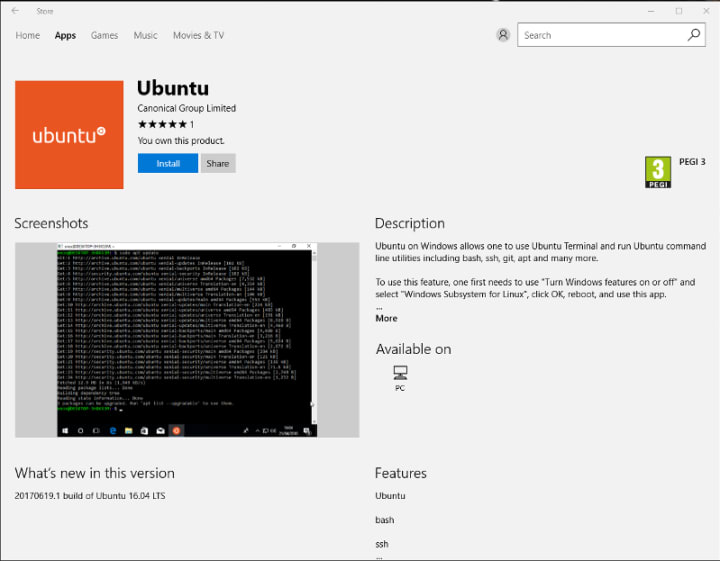
To find the app in the Microsoft store, just type “Ubuntu” in the search bar. Click install. Voilà!

Related posts


Luci Stanescu
8 May 2026

Dirty Frag Linux kernel local privilege escalation vulnerability mitigations

Ubuntu Article

Two local privilege escalation (LPE) vulnerabilities affecting the Linux kernel have been publicly disclosed on May 7, 2026. One of the vulnerabilities has been assigned the ID: CVE-2026-43284. The other CVE ID is pending. Both are referred to as “Dirty Frag.” The affected components are Linux kernel modules. The first vulnerability impac ...


ilvipero
6 May 2026

Three weeks to go: A sneak peek of the Ubuntu Summit 26.04 experience

Ubuntu Article

The countdown to the Ubuntu Summit is officially on! We are just three weeks away from Ubuntu Summit 26.04, and the orange energy levels in our community channels are peaking. We’ve been reviewing the talk submissions, and have been blown away by the passion and creativity of our circle of friends. Once again, the schedule ...


Rajan Patel
4 May 2026

How to use Ubuntu on Windows

Ubuntu Article

Why run Ubuntu on Windows? It’s about getting the best of both worlds. ...